Summary
You can now trigger workflows when a customer replies through an
All-in-One Chat widget
. This enhancement allows you to:- Select All-in-One Chatdirectly from the Reply Channel dropdown
- Filter replies by Chat Type(Chat Widget or Live Chat)
- Select specific All-in-One ChatWidgets
- Build more precise automation based on how customers reply
This makes automation cleaner, more flexible and easier to configure for unified chat setups.
What’s New?
All-in-One Chat added to Reply Channel
Inside the
Customer Replied
trigger:Go to:
Reply Channel
from the filter options and you will now see:- All In One Chat
- Chat Widget
- (Other communication types like Email, Messenger, etc.)
Selecting
All In One Chat
activates additional filtering options specific to unified chat widgets.Smart Filter Expansion When “All In One Chat” is Selected
Once you select
Reply Channel = All In One Chat
, two additional filters appear:A
. Chat Type
is with dropdown options:- Chat Widget
- Live Chat
This allows you to decide whether the reply should come from:
- A full All-in-One Chat Widget setup
- Or specifically from Live Chat within that setup
B
. Contextual Third-Level Filter (Dynamic)Depending on what you select under Chat Type is
, the next filter changes dynamically:If:
Chat Type is = Chat Widget
, you will see:Chat Widget is
> dropdown listing only All-in-One chat widgetsIf:
Chat Type is
= Live Chat you will see:Live Chat is
> dropdown listing All-in-One Live Chat configurationsThis ensures you only see relevant widget options, no unrelated chat setups appear.
How to Use It
- Go to Automation > Workflowsand Addtrigger: Customer Replied
- Under Reply Channel, selectAll In One Chat
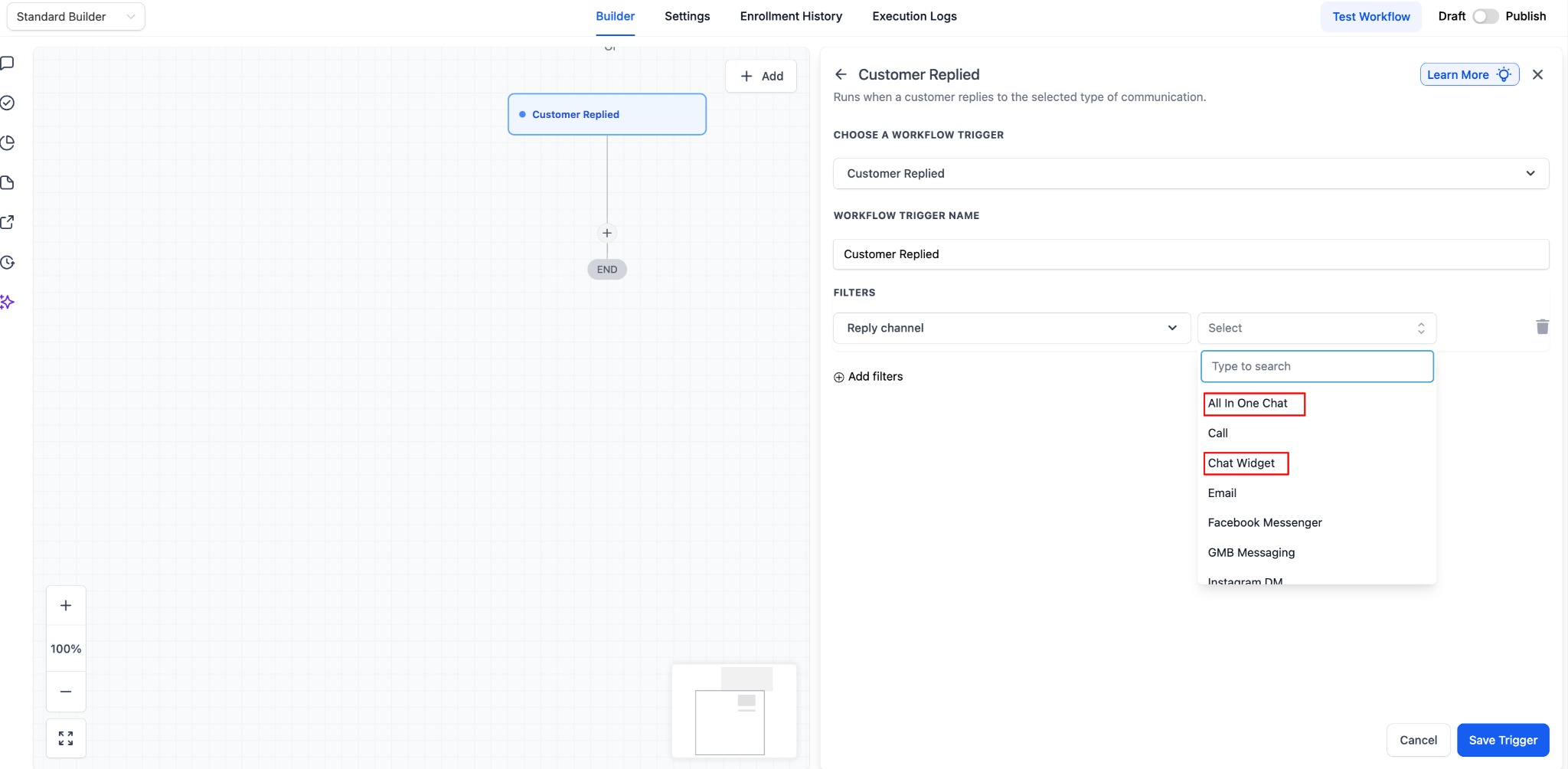
- Choose Chat Type is:Chat Widget or Live Chat
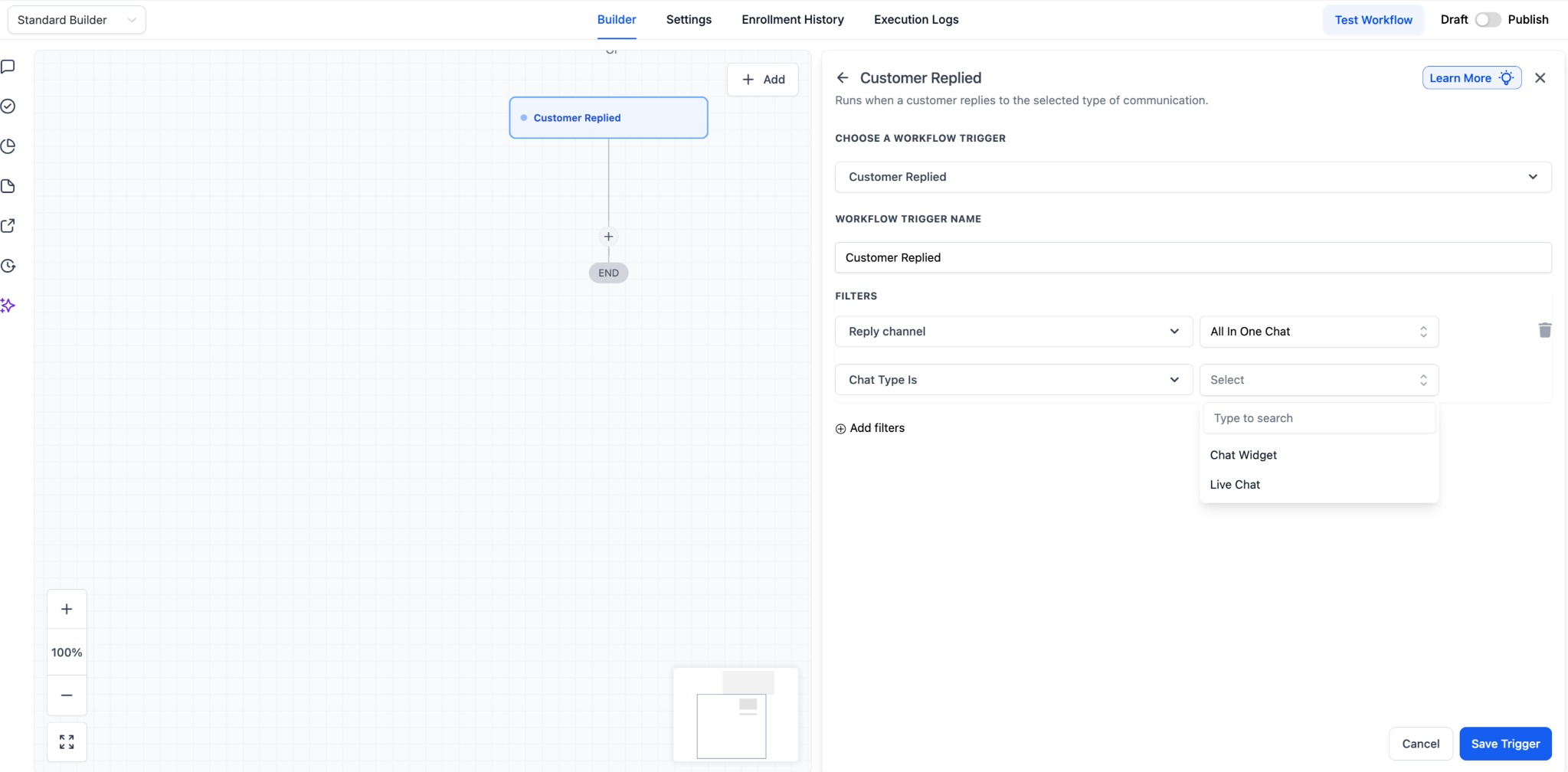
- Select the specific widget under: Chat Widget is or Live Chat is
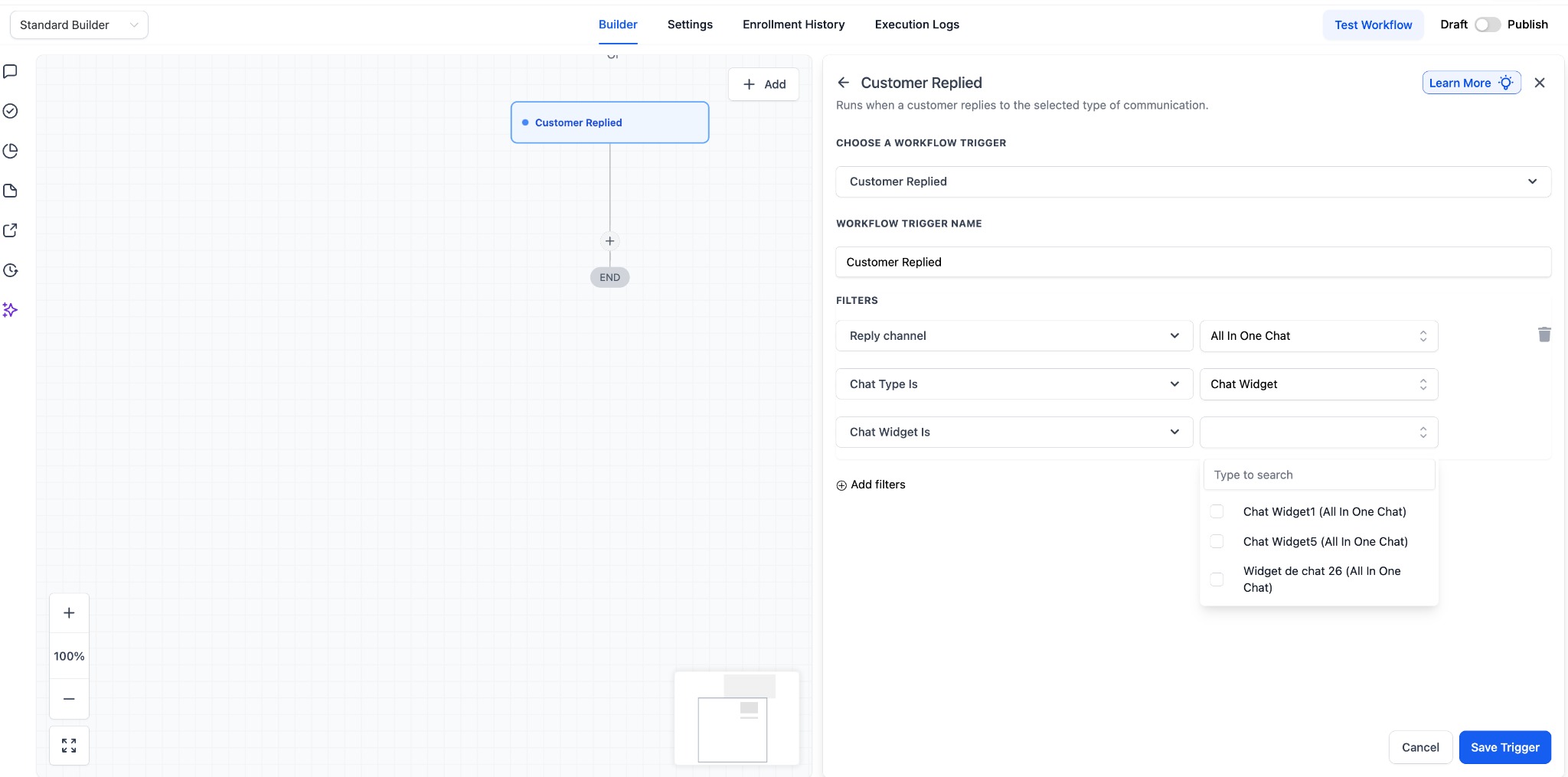
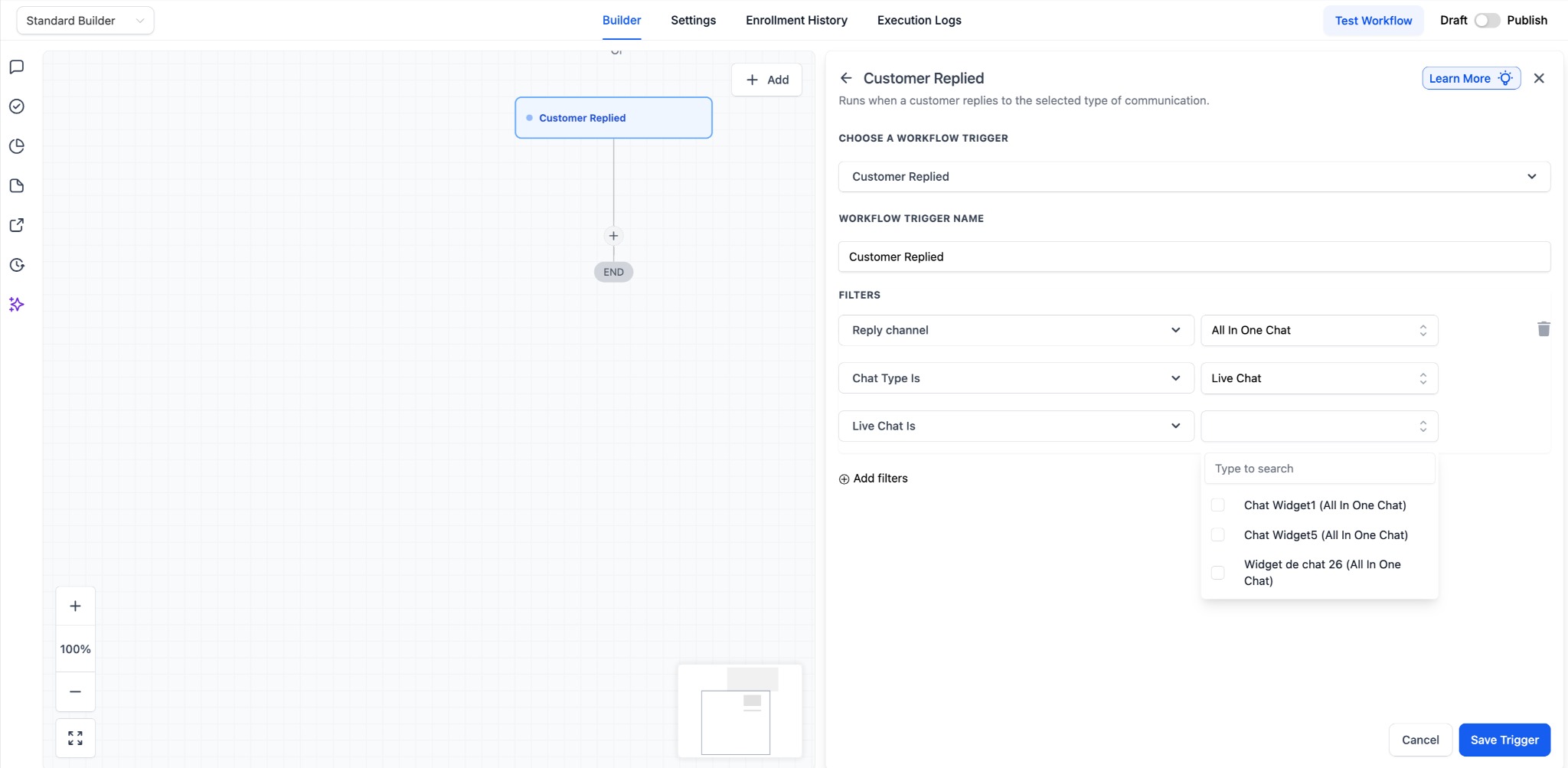
- Click Save Trigger, add relevant actions and publish your workflow.
Now, the workflow will only run when
a customer replies through the selected All-in-One Chat
configuration.Why This Matters
- Previously, All-in-One Chat replies were not clearly distinguishable, requiring separate Chat Widget or Live Chat triggers, which made setup confusing.
- Now, All-in-One Chat is a dedicated trigger option with structured, intuitive filters that show only relevant widgets, making automation more precise and easier to manage across channels.
Notes
- This inclusion of All-in-One Chat widgetsis applicable only on the customer replied trigger.
- Existing Chat Widget triggers continue working as before.
- No migration is required for existing workflows but this option will be visible for existing workflows too for user to select if needed.
- The system automatically identifies replies correctly based on channel type.
Was this article helpful?
That’s Great!
Thank you for your feedback
Sorry! We couldn't be helpful
Thank you for your feedback
Feedback sent
We appreciate your effort and will try to fix the article